










Ultra-Reliable Cloud RADIUS Service

Automate Network Access With Cloud RADIUS

Cloud RADIUS integrates with your IdP, MDM, and security stack for real-time, passwordless access for Wi-Fi, Wired, and VPN, backed by industry-leading reliability.

Trusted for EAP‑TLS and Certificate-Based Network Authentication

Join organizations using Cloud RADIUS to enforce passwordless access across Wi‑Fi, wired, and VPN.

Integrations

Use Cloud RADIUS to Leverage the Security Signals You Already Have

Use native integrations and standard protocols to connect cloud identity, device management, and security telemetry to RADIUS authentication.

Network Infrastructure
Identity Providers
Device Management
Security Signals
OPERATIONAL IMPACT

Faster Rollouts, Fewer Tickets, Stronger Access Control

Teams use Cloud RADIUS to cut support work, accelerate onboarding, and tighten access control with cloud identity providers.

Fewer support tickets

Customer-reported reduction

Uptime SLA

~5 minutes downtime per year (max)

Time to deploy

Customer-reported (G2)

Average time to ROI

Customer-reported (G2)

NETWORK ACCESS METHODS COMPARED

What Happens at Every Stage of Network Access

Each authentication method carries distinct security risks, operational overhead, and end-user friction. See how common approaches compare across the full network access lifecycle.

Cloud RADIUS (EAP-TLS)Pre-Shared KeyOpen Wi-Fi with Login/VPN802.1X with Passwords
STEP 1 User Requests Access STEP 2 Network Authentication STEP 3 Network Access Granted
CLOUD RADIUS ASSESSMENT Devices present a certificate — no credentials for users to manage
SECURITY
  • Certificates are non-exportable and device-bound — nothing to phish
  • No shared secrets or passwords transmitted over the air
  • Rogue APs cannot capture reusable credentials because none exist
OPERATIONAL
  • Zero password reset tickets for network access
  • Certificates auto-enroll and renew silently via MDM
  • No shared credentials to rotate across the organization
END-USER EXPERIENCE
  • No passwords to remember or type for network access
  • Devices connect automatically after one-time enrollment
  • Seamless roaming across APs with no re-authentication prompts
CLOUD RADIUS ASSESSMENT Mutual TLS validates both client and server — immune to interception
SECURITY
  • Mutual TLS authentication rejects untrusted or rogue access points
  • Server certificate validation prevents Evil Twin attacks
  • Private keys never leave the device’s secure enclave — no credential capture possible
OPERATIONAL
  • No incident response needed for intercepted credentials
  • Reduces SOC alert volume from rogue AP detections
  • No emergency credential rotations after suspected interception
END-USER EXPERIENCE
  • Users are automatically protected from connecting to fake networks
  • No manual verification of network authenticity required
  • Transparent security with no user action needed
CLOUD RADIUS ASSESSMENT Only authorized, managed devices gain network access
SECURITY
  • Certificate identity ensures only valid, enrolled devices connect
  • Unauthorized or unknown devices are blocked at the network edge
  • Real-time posture checks enforce compliance before granting access
OPERATIONAL
  • Dynamic VLAN assignment based on identity — no manual segmentation
  • Centralized policy enforcement across all sites and APs
  • Full visibility into which devices are on the network and why
END-USER EXPERIENCE
  • Authorized users never experience access denials or login walls
  • Consistent experience across wired, wireless, and VPN
  • No need to contact IT for network access after enrollment
STEP 1 User Requests Access STEP 2 Network Authentication STEP 3 Network Access Granted
RISK ASSESSMENT Users connect with a shared password known by many people
SECURITY
  • Single key shared across dozens or hundreds of devices
  • Impossible to attribute access to a specific user or device
  • Former employees and guests may retain the key indefinitely
OPERATIONAL
  • Rotating the PSK means reconfiguring every device manually
  • No per-user or per-device access control or segmentation
  • IT cannot revoke access for a single user without changing the PSK for all
END-USER EXPERIENCE
  • Users share the password informally, reducing security awareness
  • New employees must obtain the password from a colleague or IT
  • PSK changes disrupt every connected device simultaneously
RISK ASSESSMENT No real authentication — the shared key is the only barrier
SECURITY
  • WPA2-PSK handshake can be captured and cracked offline
  • Attacker with the PSK can decrypt all traffic on the network
  • No mutual authentication — devices trust any AP with the right SSID, enabling Evil Twin attacks
OPERATIONAL
  • No way to detect if the PSK has been compromised
  • Incident response requires immediate PSK rotation and mass reconfiguration
  • No logging of which specific device was targeted or compromised
END-USER EXPERIENCE
  • Users cannot distinguish between legitimate and rogue APs
  • No warning when connecting to an attacker-controlled network
  • All users are simultaneously vulnerable if the key is compromised
RISK ASSESSMENT Unauthorized access is indistinguishable from legitimate use
SECURITY
  • Attacker appears as a legitimate device — no identity binding
  • Flat network access with no segmentation or role-based controls
  • Lateral movement is trivial with full network membership
OPERATIONAL
  • No per-user audit trail for compliance or incident investigation
  • Cannot enforce role-based access policies on a shared key
  • Network monitoring tools see the attacker as an authorized device
END-USER EXPERIENCE
  • Legitimate users may experience degraded performance from unauthorized devices
  • No visibility that unauthorized parties are on the same network
  • Shared environment increases exposure to on-network threats
STEP 1 User Requests Access STEP 2 Network Authentication STEP 3 Network Access Granted
RISK ASSESSMENT Users connect to an open SSID and authenticate via a captive portal or VPN
SECURITY
  • Initial connection is unencrypted — data exposed before VPN/portal activates
  • Captive portal credentials are phishable and often reused across systems
  • Evil Twin attacks are trivial — no server authentication on open SSIDs
OPERATIONAL
  • Maintaining captive portal infrastructure adds ongoing complexity
  • VPN licensing and capacity planning required for every user
  • Troubleshooting portal/VPN failures is time-consuming for IT
END-USER EXPERIENCE
  • Extra login step on every connection — portal or VPN client
  • Captive portals frequently break on mobile and IoT devices
  • VPN adds latency and reduces application performance
RISK ASSESSMENT Portal and VPN credentials are vulnerable to interception and phishing
SECURITY
  • All traffic is visible to nearby attackers before portal/VPN login completes
  • Captive portal login pages can be cloned by rogue APs
  • VPN credentials (username/password) are phishable and replayable
OPERATIONAL
  • Password resets and MFA token reissues generate ongoing IT overhead
  • No way to distinguish legitimate portal use from a phished session
  • Security teams must monitor for rogue APs mimicking the open SSID
END-USER EXPERIENCE
  • Users see multiple SSIDs with the same name and guess which is real
  • MFA prompts on every reconnection cause friction and fatigue
  • Forgotten VPN passwords lock users out of remote work entirely
RISK ASSESSMENT Attacker gains network or VPN access with captured credentials
SECURITY
  • VPN access grants the attacker a foothold inside the network perimeter
  • No device identity — any device with valid credentials gets access
  • Difficult to distinguish attacker VPN sessions from legitimate ones
OPERATIONAL
  • Revoking a compromised VPN account may disrupt the legitimate user
  • No device-level revocation — only user-level credential reset
  • Forensics must correlate VPN logs with portal authentication events
END-USER EXPERIENCE
  • Legitimate users may be locked out while IT investigates a breach
  • Account compromise leads to forced password changes across systems
  • Trust in the network is eroded after a publicized VPN breach
STEP 1 User Requests Access STEP 2 Network Authentication STEP 3 Network Access Granted
RISK ASSESSMENT Users authenticate to 802.1X with a username and password (EAP-PEAP/MSCHAPv2)
SECURITY
  • Passwords are reused across network, email, and SaaS applications
  • Weak or default passwords are common in large user populations
  • Credential stuffing attacks target network login endpoints
OPERATIONAL
  • Password sync between AD/IdP and RADIUS adds integration complexity
  • Password expiration policies generate recurring help desk tickets
  • Onboarding requires provisioning separate network credentials
END-USER EXPERIENCE
  • Users must remember yet another password for network access
  • Password expiration forces re-authentication on every device
  • BYOD users must manually configure 802.1X supplicant settings
RISK ASSESSMENT EAP-PEAP inner credentials are vulnerable to interception and cracking
SECURITY
  • MSCHAPv2 hashes can be captured and cracked offline
  • Misconfigured supplicants may skip server certificate validation, enabling Evil Twin attacks
  • Man-in-the-middle attacks extract credentials during EAP exchange
OPERATIONAL
  • Ensuring every device validates the RADIUS server certificate is difficult at scale
  • Supplicant misconfiguration is the #1 cause of 802.1X support tickets
  • No centralized visibility into which devices have correct TLS settings
END-USER EXPERIENCE
  • Users dismiss certificate warnings, unknowingly enabling interception
  • Manual trust profile installation is confusing on personal devices
  • Connection failures from expired or misconfigured profiles frustrate users
RISK ASSESSMENT Attacker accesses the network with a valid username and password
SECURITY
  • Valid credentials bypass NAC — attacker is treated as a legitimate user
  • No device identity binding — any device with the password gets access
  • Cracked network passwords often unlock email, VPN, and SaaS accounts
OPERATIONAL
  • Breach triggers company-wide password reset across all integrated systems
  • Password-based 802.1X provides no device-level audit trail
  • SIEM correlation needed to detect anomalous access patterns
END-USER EXPERIENCE
  • Legitimate user may be locked out during incident response
  • Forced credential rotation disrupts access on all enrolled devices
  • No self-service way for users to verify their network security status
A Trust Layer You Can Build On

JoinNow Platform: A Complete Foundation for Modern Access

Cloud RADIUS gives you a fully managed RADIUS service for Wi‑Fi, wired, and VPN authentication. With Dynamic PKI, it becomes much more. Extend certificate-based trust across more access points and automate response when identity or device conditions change.

  • Cloud RADIUS: Managed RADIUS + centralized policy and reporting for network authentication
  • Dynamic PKI: Automate certificate issuance and lifecycle using your existing IdP and device platforms
  • Policy Engine: Trigger changes to access in real-time based on security events
Use cases

RADIUS as a Service for Wi‑Fi, Wired, and VPN

Pick a starting point, then connect Cloud RADIUS to your IdP and network gear for passwordless authentication and policy-driven access.

Context-Aware Network Access

Use your IdP as the source of truth for network access, without relying on LDAP or on‑prem AD servers.

Automate Network Segmentation

Assign VLANs/roles based on user group, device, and conditions.

Passwordless Wired & Wi-Fi

Replace passwords with certificate-based EAP‑TLS for secure 802.1X access.

High‑Availability Network Access

Run authentication on a fully managed Cloud RADIUS service with a 99.999% uptime SLA and built-in resiliency.

Passwordless VPN

Enforce VPN access using certificates and policy checks tied to identity and device context.

Secure Guest Access

Provision expiring guest credentials with sponsor approval, directory tie-in, or self-registration.

RADIUS Authentication for BYODs

Onboard personal devices with certificate-based authentication—no MDM required.

Multi-Tenant RADIUS for MSPs

Deliver isolated RADIUS services for multiple customers with tenant separation.

BEFORE VS AFTER

A Clear Upgrade From Legacy RADIUS

Move to a managed cloud service that authenticates with cloud identities, uses EAP‑TLS certificates, and enforces policies in real time.

Problem Before After Cloud RADIUS
Keeping RADIUS online and patched Manual upkeep Managed cloud service
Cloud identity support Workarounds Native OAuth integrations
Password-based auth on Wi‑Fi/VPN Default Replaced with certificates
Device posture / conditional checks Limited Real-time identity + device data
BYOD onboarding IT-driven Self-service tooling
Auditability / reporting Fragmented Central visibility & reporting
Multi-tenant needs Separate systems Tenant isolation built in
Roaming support Complex OpenRoaming/Passpoint compatible
PHISHING-RESISTANT

Passwordless Authentication for Every Environment

True passwordless security requires more than removing passwords. It depends on certificates, adaptive access policies, and continuous authentication for networks and applications.

  • Secure, Continuous Authentication: Ensures phishing-resistant, passwordless authentication with adaptive access policies.
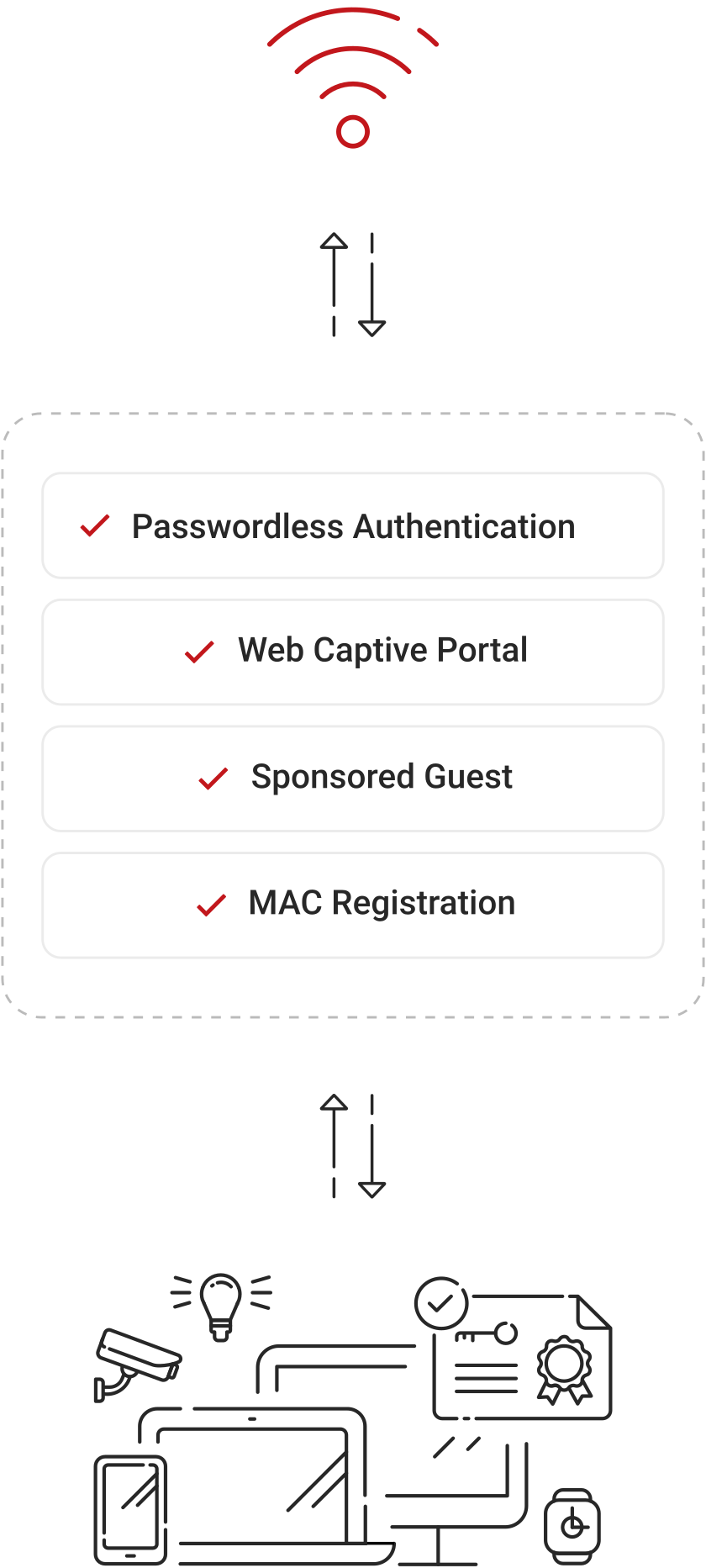
  • MAC-Based Authentication for IoT & Legacy Devices: Enable access control for devices that can’t store certificates, maintaining network segmentation.
  • SAML Captive Portal for Personal Devices: Restricts personal devices to defined resources, ensuring security without unnecessary exposure.

Customer Success Stories

See how organizations achieve measurable results with Cloud RADIUS.

Featured Success Story
Customer Rating
Quick Setup and Works as Advertised

“SecureW2 just works – I don’t even think about it anymore as I know that it will work as expected. It integrates easily with Microsoft Entra and InTune. I definitely recommend this as a Cloud RADIUS and PKI solution.”

Customer Rating

“Easy, cloud-based RADIUS and PKI for implementation of secure, certificate-based Wi-Fi networks.”

Customer Rating

“Straightforward solution for RADIUS device authentication. Works well with Windows and macOS devices and pretty easy to configure with most MDM platforms such as Intune, Jamf, or Kandji.”

Customer Rating

“Since deploying the solution across our organization, our Wi-Fi related support requests have effectively dropped to zero.”

Keep Your Network Gear. Replace the RADIUS Burden.

Point your access points, switches, and VPN gateways at Cloud RADIUS and move authentication to a managed service built for certificate‑based EAP‑TLS.